Drop in a rough note, chat snippet, or voice transcript. Skip the form fields.
Calendar Scheduler
Messy notes in.
Calendar events out.
Paste a chat snippet, a voice memo transcript, or a rough reminder. We turn it into a clean event you can review, then export or import into Google Calendar or Apple Calendar.
Three steps. No busywork.
We extract title, date, time, and duration. Edit anything before it goes to your calendar.
Download an .ics file, or send it directly to Google Calendar or Apple Calendar.
Product walkthrough
From rough note to calendar event
A closer look at the real interface from first draft to final export.
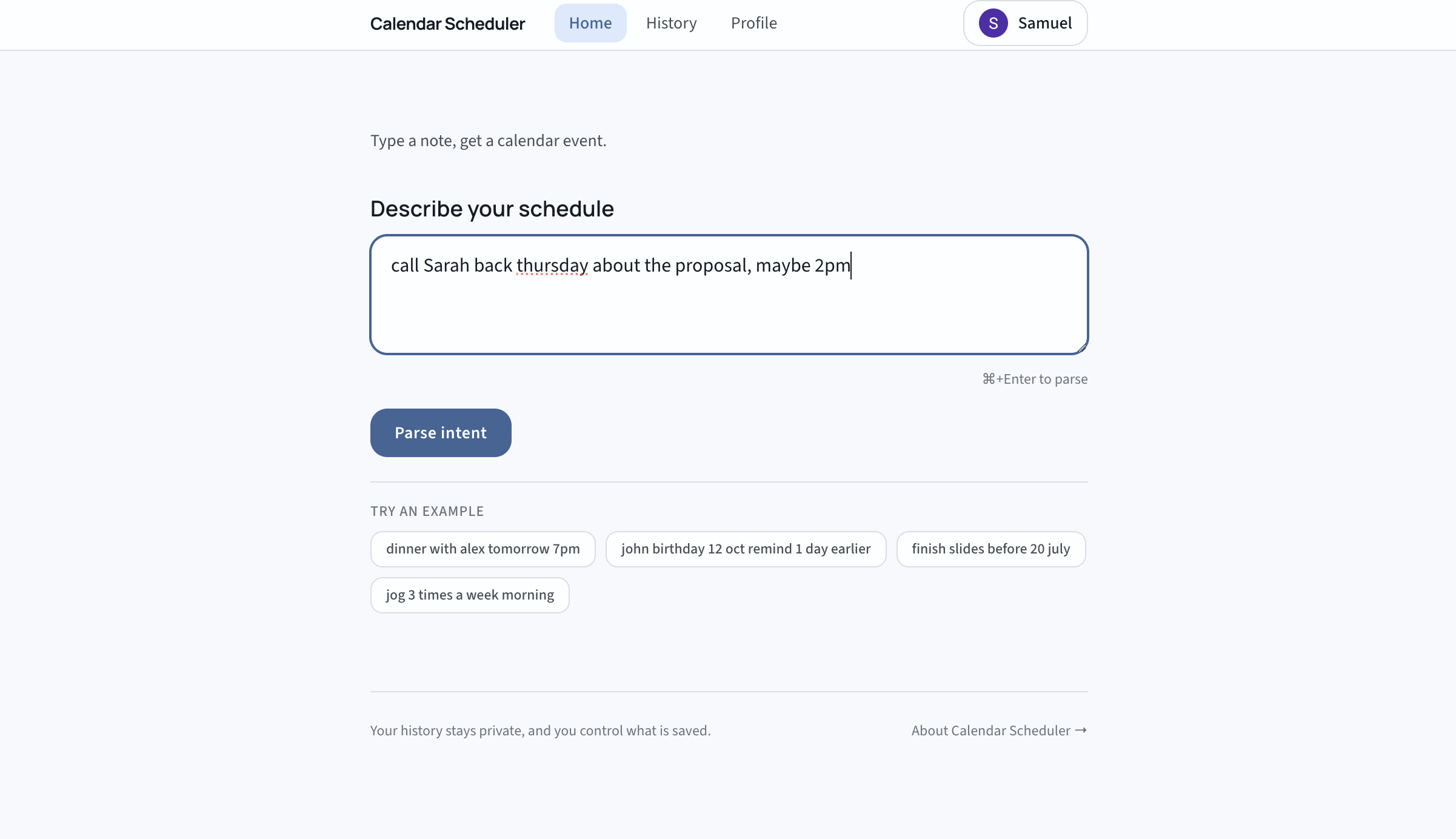
Start with a rough note
Paste messy text first. The app extracts structure so you can avoid manual field-by-field setup.
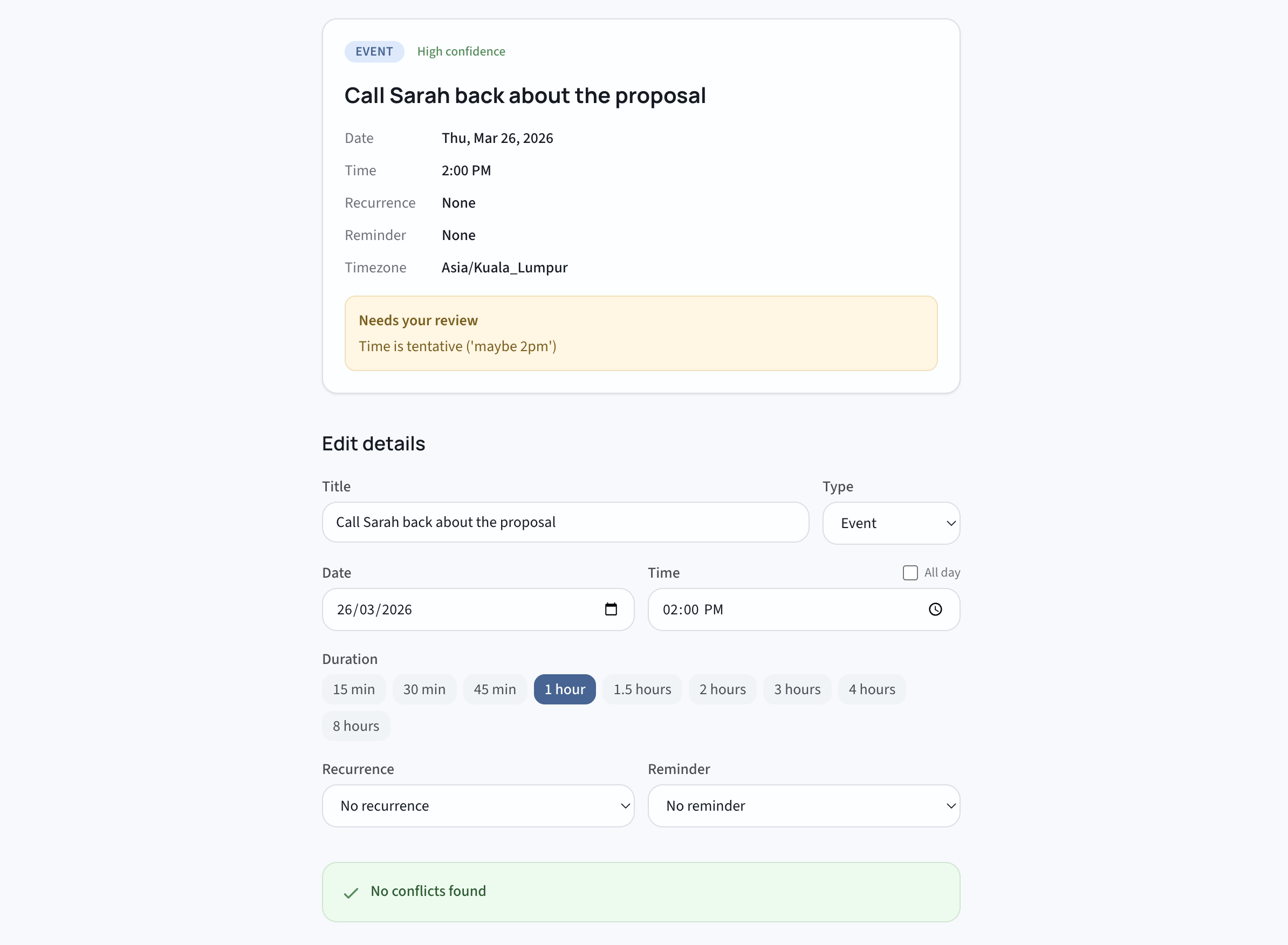
Review and edit details
Confirm the parsed title, schedule, and metadata, then adjust anything before the event leaves the app.
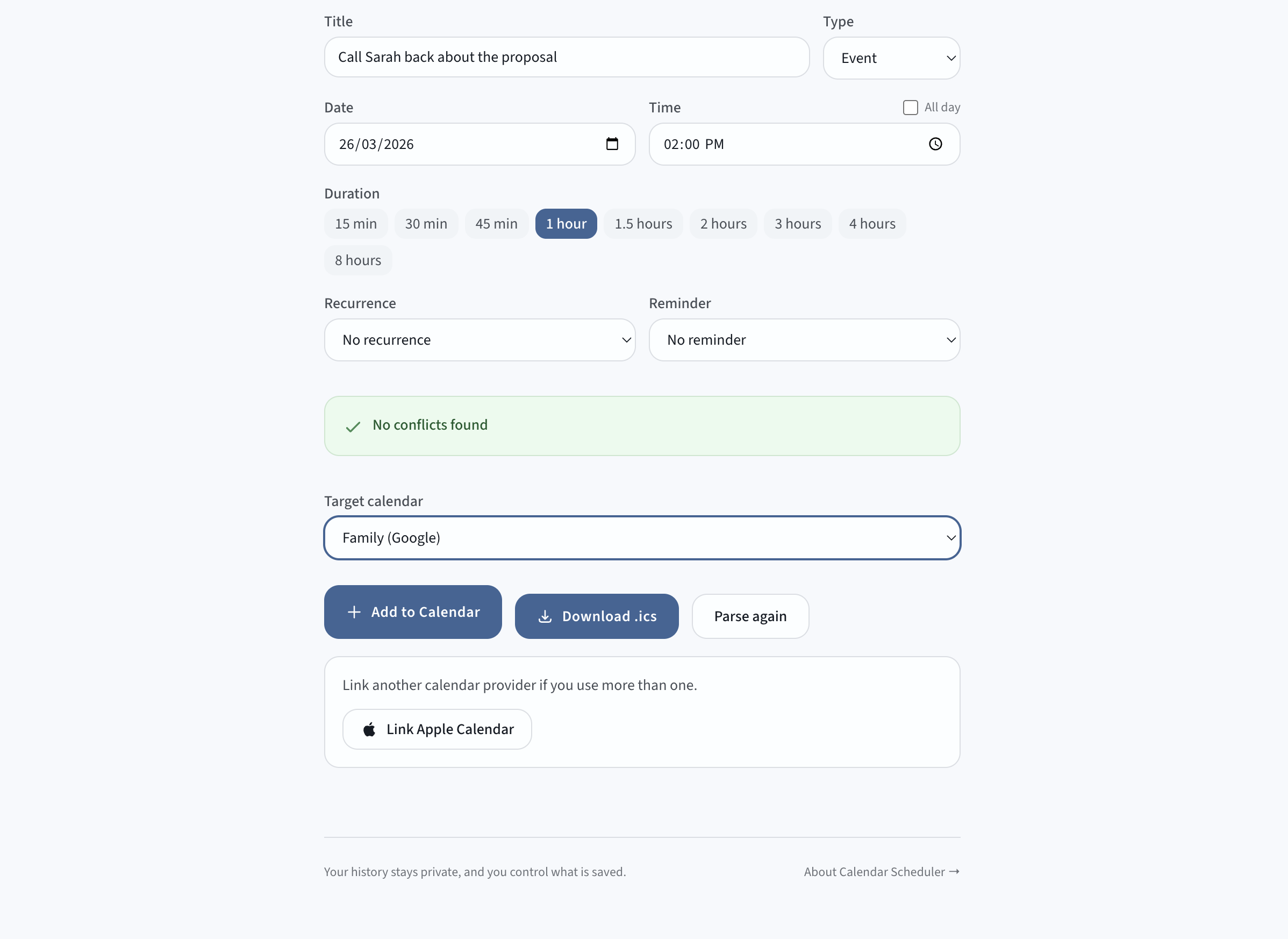
Export and send to calendar
Download an ICS file or import directly to Google Calendar or Apple Calendar when everything looks right.
Privacy at a glance
Clear boundaries: what we store, what we do not store, and what you can control.
We store
- Account email and session state
- Event fields you save (title, date, time, duration)
- Import ledger status (provider and destination)
We don't store
- Raw note text after parsing completes
- Cross-parse model context or conversation history
- Full calendar API payload logs
You control
- Parse history on or off
- Delete entries (10-second undo)
- Unlink calendar providers anytime
Data lifecycle
1. You paste text
Raw text exists only for this parse request.
2. We extract event fields
The parser returns structured output (title, date, time, duration).
3. You review and edit
Nothing is imported until you confirm.
4. We save only what is needed
Saved event fields and ledger status are kept. Raw text is discarded.
Questions
Is this a replacement for my calendar?
No. It works with the calendar you already use. Paste a rough note, clean it up, then export it as an .ics file or import it into Google Calendar or Apple Calendar.
What happens to my text input?
Your raw text is used during parsing and not kept after that step. We keep account details and the event fields you save (title, date, time). You can turn parse history on or off in your profile.
Can I delete my data?
Yes. You can turn parse history off, delete entries with a 10-second undo window, and unlink calendars whenever you want. The activity log never stores your raw input text.
Who is this for?
People who manage lots of follow-ups across chat, notes, and calls. If reminders keep getting lost between apps, this is built for you.
How is this different from calendar reminders?
Regular calendar entry is manual: open the app, fill fields, set time. Here, you paste a messy note and get a structured event you can edit before saving.
Keep follow-ups from slipping.
Turn rough notes into real calendar events. You can start without an account.
Try it now